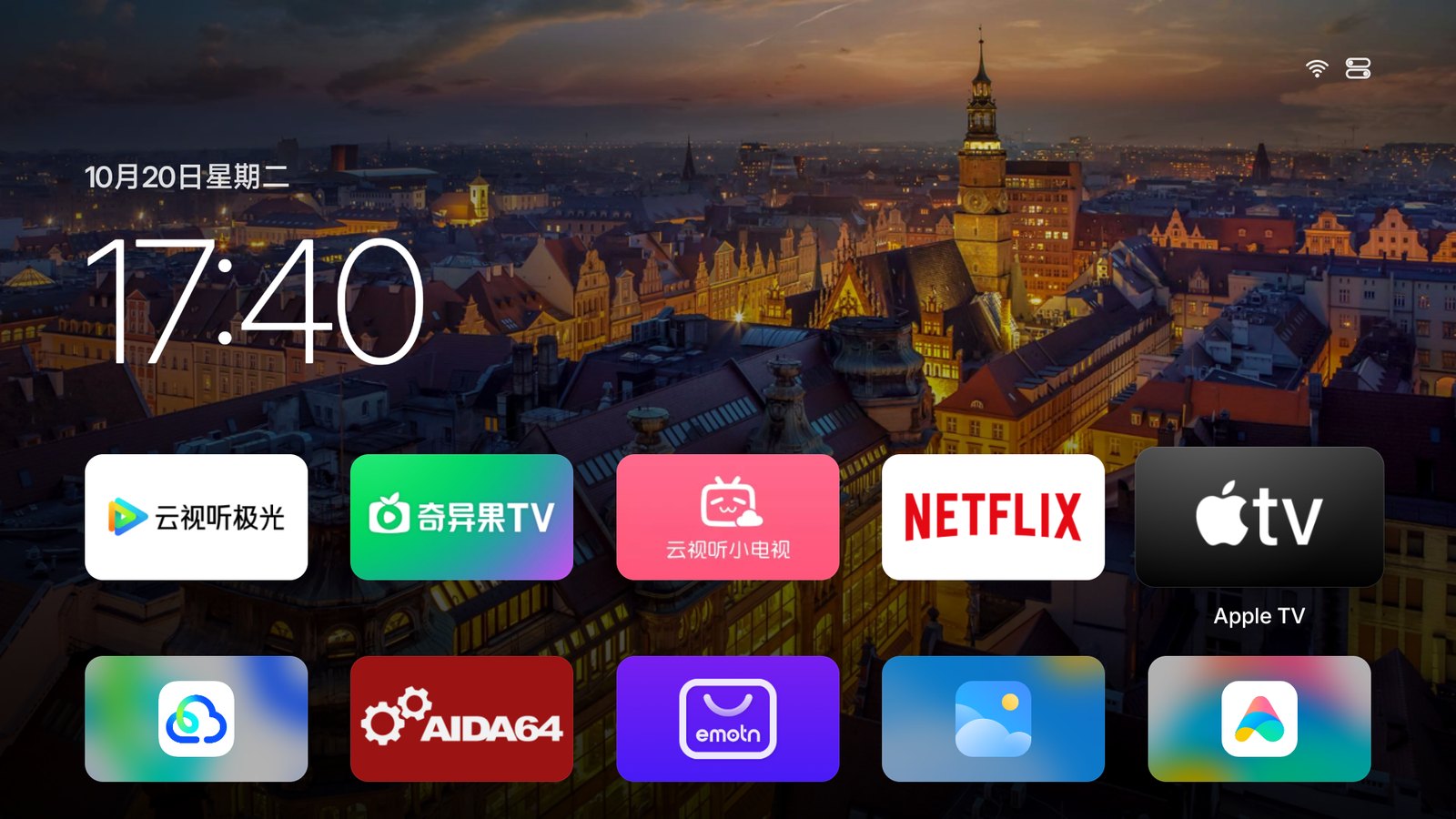
Turn on the TV and you see the time and the apps you actually use.
Home
Every app, at its best.
Apps with a TV banner show it. Square icons fill the tile with their own color. A white ring marks the app in focus, so you can spot it from the couch.
System apps without a launcher entry, like Xiaomi's App Store and Mi Home, show up too.
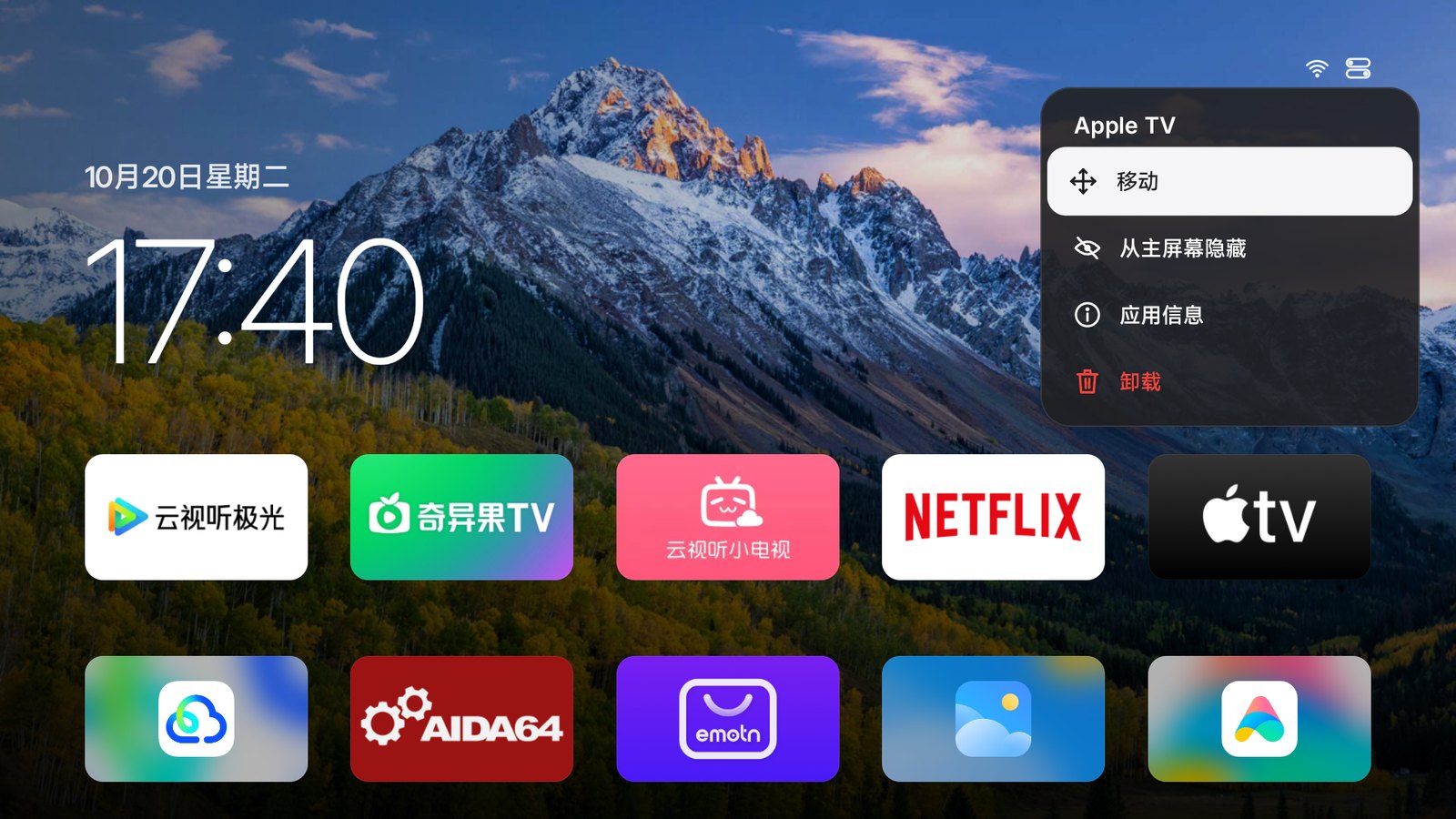
Organize
Hold OK to make it yours.
Move, hide, inspect or uninstall any app. Tiles make room as you move one, and hidden apps are always a click away in Control Center.
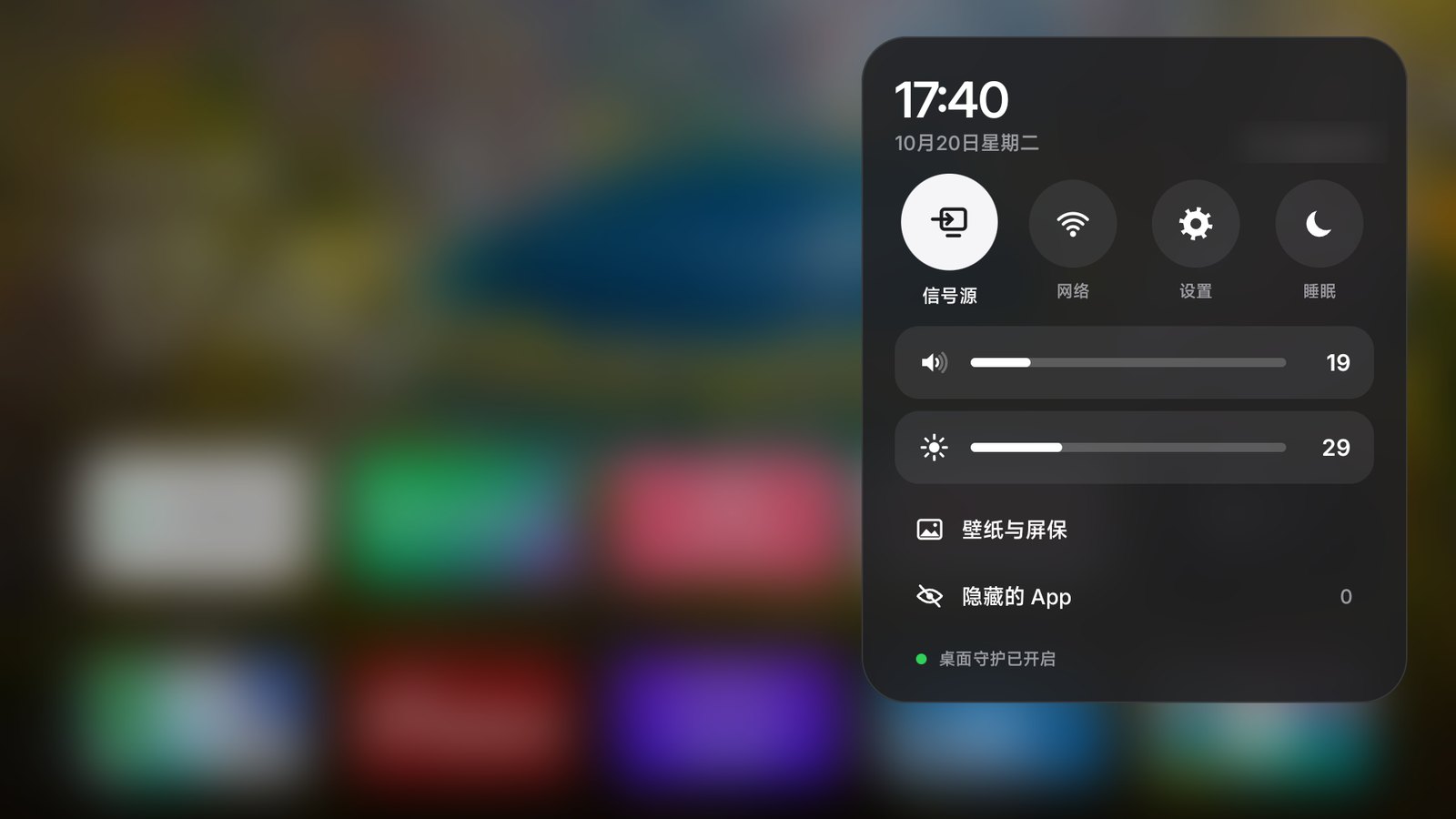
Control Center
Everyday controls, one button away.
Inputs, network and settings, plus volume and brightness. Network and settings open your TV's own panels, no menu diving. Pin an HDMI input to Home to switch to it in one press.
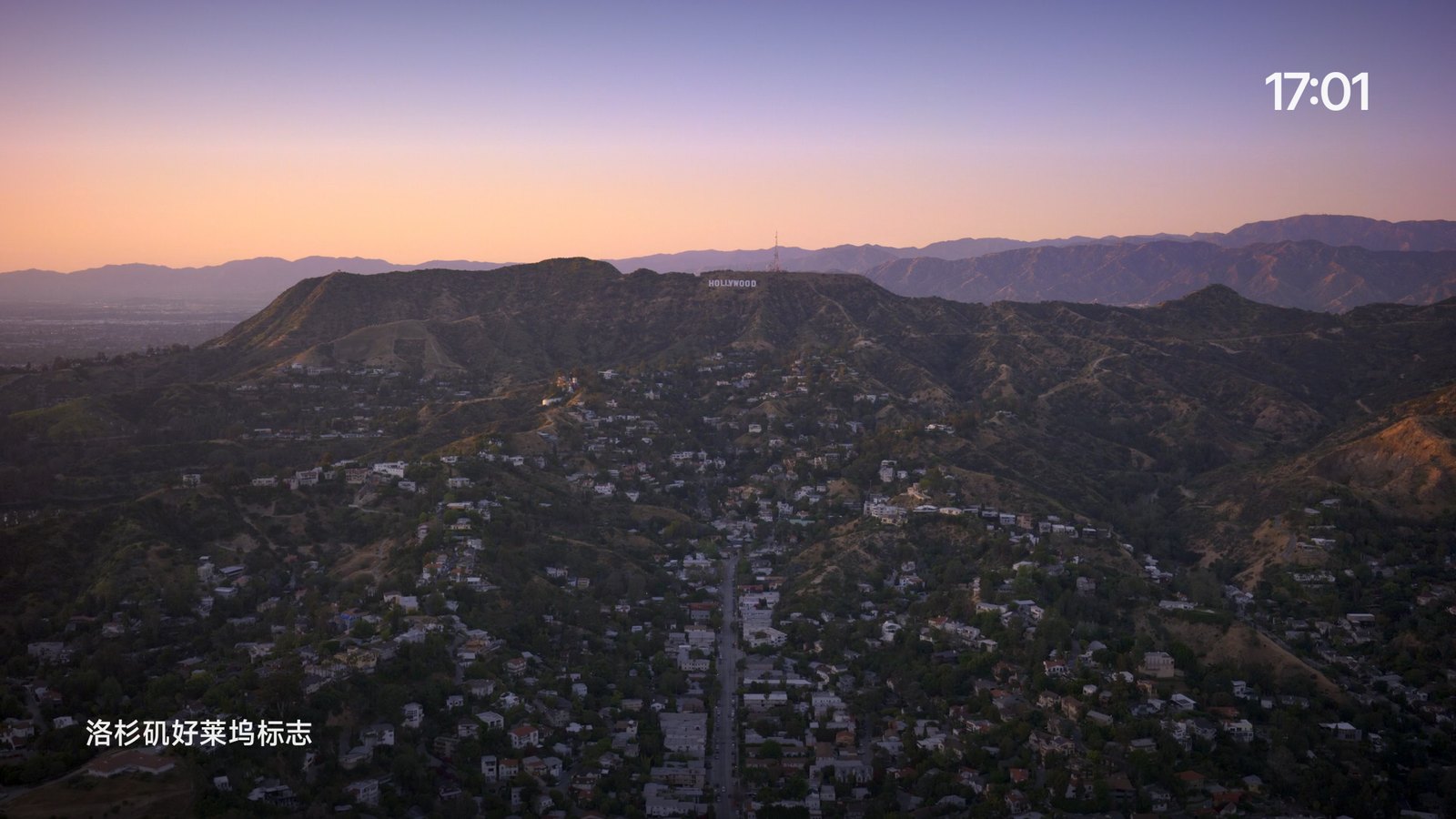
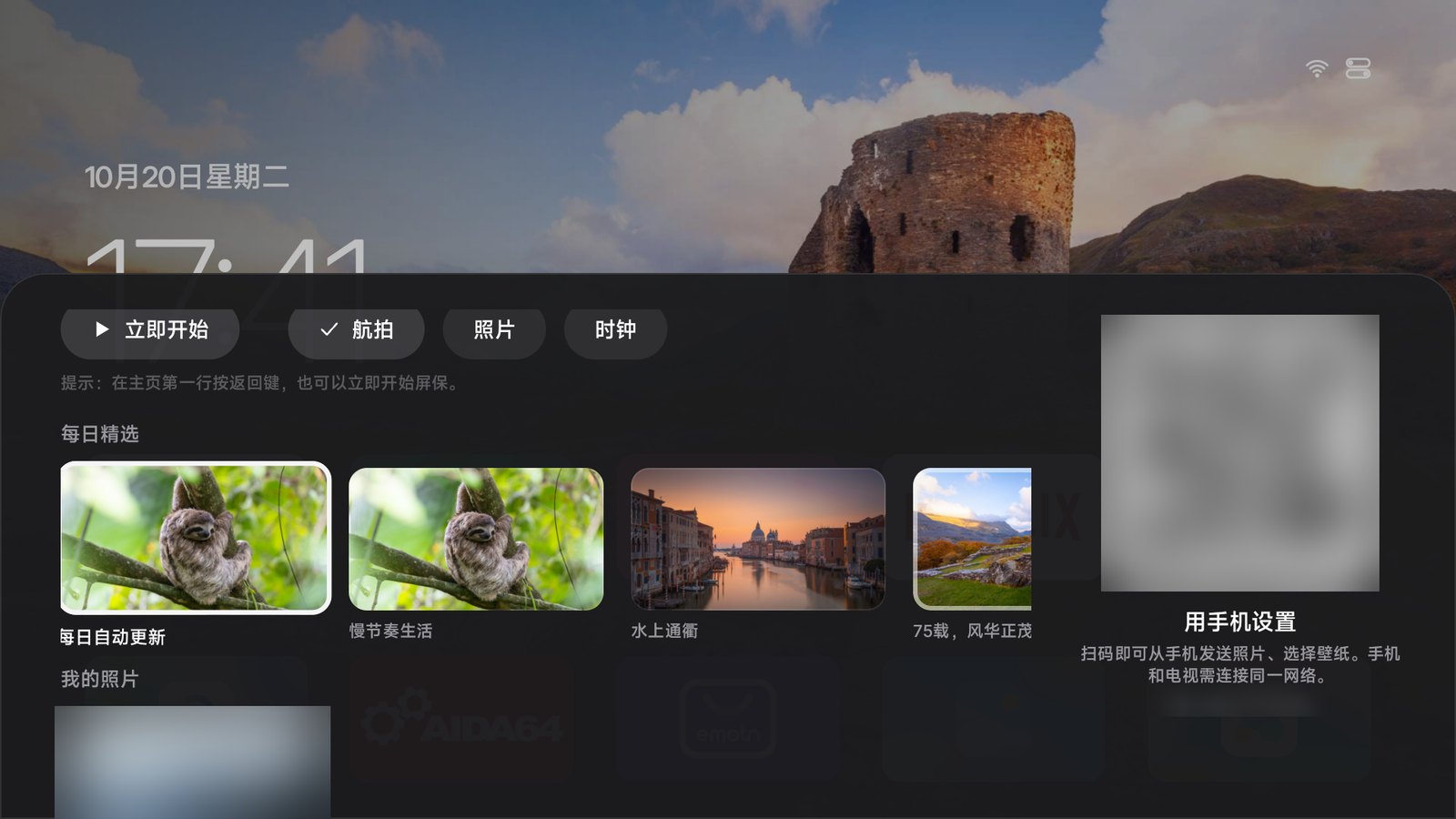
When you're not watching, enjoy the view.
114 aerial films from Apple TV, from orbit to the ocean floor, with location names as the camera moves.
Yosemite National Park
The Hollywood Sign, Los Angeles
Wallpaper
A new view every day, or your own photos.
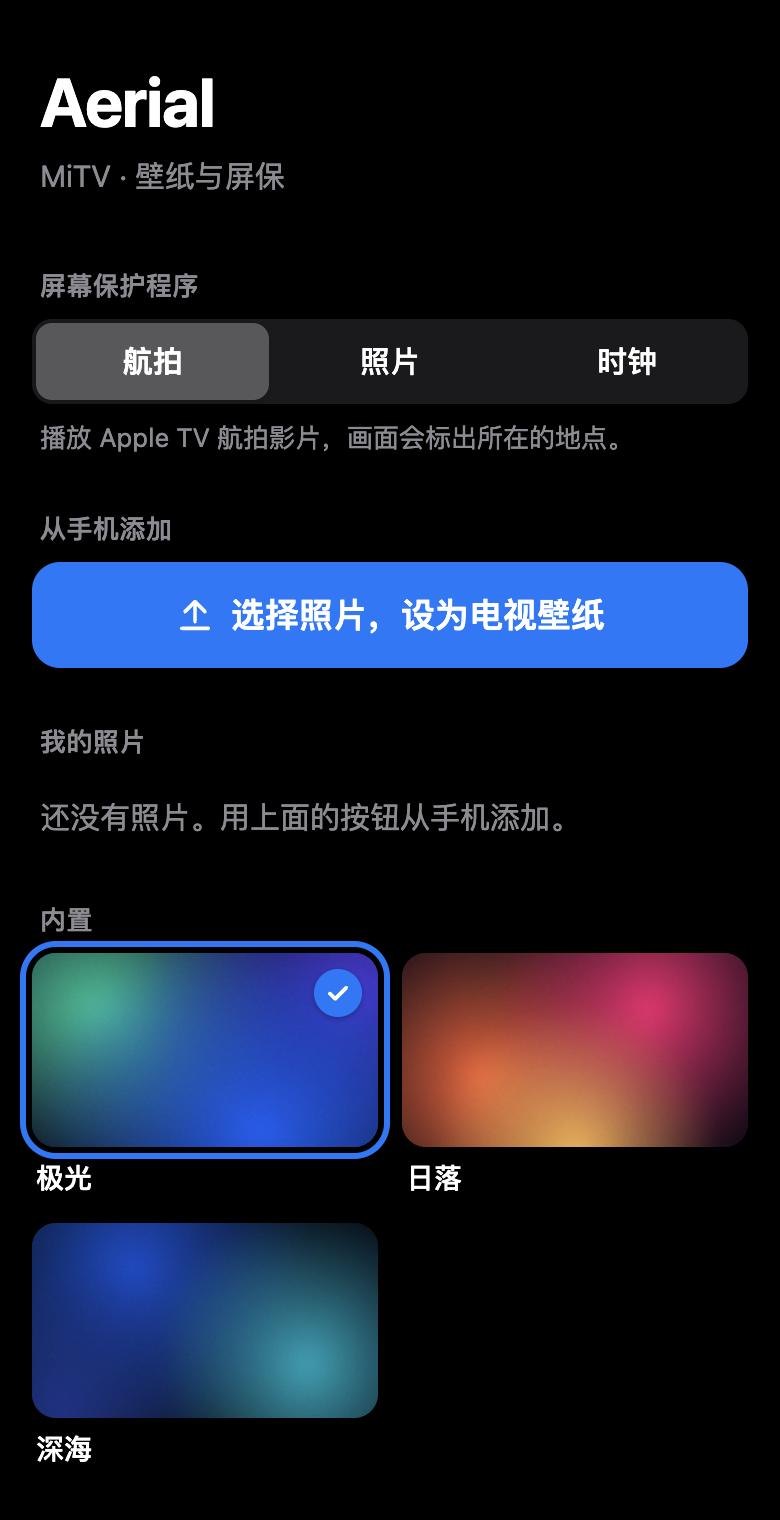
Bing's photo of the day, eight built-in gradients, or pictures from your phone.
Set up from your phone
Scan. Don't type.
Scan the code on the TV to upload photos, pick a wallpaper or change the screensaver. The page is only open while the wallpaper panel is, behind a random token.
Home at boot. Still home after standby.
Most TVs sold in China lock you into the maker's launcher and kill other apps in standby. Aerial works around both, with no root and without disabling a single system app.
Owns the Home button
Aerial becomes the default home screen where it can. Where the firmware won't allow it, Home Guard brings Aerial back whenever the stock launcher appears. The TV's own launcher is still one tile away.
Back in half a second
Xiaomi TVs force-stop other apps in standby. When Android reconnects Aerial's notification listener, Aerial comes right back.
Survives a power cut
Aerial takes over at boot. TCL blocks third-party apps from starting at boot; the installer lets Aerial through.
No root, no changes to system apps, and you can undo it any time.
1Turn on ADB debugging on the TV
Settings (设置) → About (关于) → press OK on Model (产品型号) until developer mode is on. Then Settings → Account & Security (账号与安全): turn on ADB debugging (ADB 调试) and Install unknown apps (安装未知来源的应用).
Settings (设置) → About (关于) → Device info (本机信息), then quickly press Up, Down, Left, Right. Turn on ADB in the More (更多) group that appears.
Press the Source button on the TV itself. While the source menu is open, press Left, Left, Up, Right on the remote to open the factory menu (海尔工厂菜单), then set ADB 调试开关 (ADB debugging) to on. Change nothing else.
Settings (设置) → System (系统) → About (关于本机) → Model (设备型号), press Up, Up, Right, Right, then OK.
Settings → Device Preferences → About → press Build (not Android version) 7 times, then turn on USB debugging in Developer options.
2Enter the TV's IP address
It's under Settings → Network. Your computer must be on the same network.
3Pick a way to install
Paste this into an agent that can run commands on your computer, such as:
Claude Code
Codex
Cursor
WorkBuddy
Trae
Phone apps and web chats only tell you the steps; they can't install it.
Run it in a macOS or Linux terminal; it downloads adb if you don't have it. On Windows, use an agent.
When the TV asks to allow debugging, choose Always allow. On TCL, accept the 多屏互动 (screen sharing) prompt with 同意 (Agree).
FAQ
Can I install it straight from a web page?
No. Browsers can't talk to the TV's ADB port, and a TV's USB port can't act as a device for your computer. The agent prompt and the one-line command are as close as it gets.
Can it break my TV? How do I undo it?
Aerial never uninstalls, disables or changes system apps. It grants itself a few permissions and changes the home screen and screensaver settings. To undo it, replace the final bash in the one-line command with bash -s restore; add --uninstall to remove Aerial as well. With an agent, give it this:
My firmware won't install home-screen apps?
Install the build that doesn't declare itself a home screen: add -s guard to the end of the one-line command, or download aerial-guard.apk for a manual install.
Do my apps, subscriptions and old home screen stay?
Yes. Aerial only replaces the home screen; apps, accounts and subscriptions are unchanged. The old home screen stays in the app list and opens as before. The boot ad, if your TV has one, is played by the firmware before Aerial starts, so it stays too.
The agent says it's installed, but nothing changed on the TV?
Some agents report success without running anything. Ask it to paste the raw output of the commands under "Check" in the install guide: it's installed only when the last one includes app.orchard.tv.
What permissions does it use?
WRITE_SECURE_SETTINGS turns Home Guard back on if the system switches it off. The notification listener lets Android restart Aerial after it's killed or the TV boots; it reads no notifications. The accessibility service only sees which window is in front, never what's on screen. Location is only used to show your Wi-Fi network's name.
Where do the aerial films come from? How much data do they use?
They stream straight from Apple's servers; Aerial only stores their addresses and location names. Expect 1080p H.264 at about 15–20 Mbps. If they can't load, Aerial switches to the photo screensaver.
My TV isn't listed. Will it work?
Probably. Stock Android TV and Google TV are the easiest. LG webOS, Samsung Tizen, Huawei Vision (HarmonyOS) and Android 4.4 or older aren't supported. If something goes wrong, open an issue on GitHub with your TV model and the install output.



 Claude Code
 Codex
Codex Cursor
 WorkBuddy
 Trae
Trae